bude-global-tech-presentations
🚀 Bude Global Tech Presentations 🚀
Scan the QR to support the project 👇

🌟 Overview
Welcome to the official repository for Bude Global Tech Presentations — a cutting-edge platform designed to democratize technical knowledge through engaging, interactive presentations. Built by developers, for developers, this platform serves as a centralized hub where the Bude Global community can discover, share, and learn from expertly crafted technical content.
Important: By using this service, you agree to our Terms and Conditions and Privacy Policy.
🎯 Mission
Our mission is to foster a culture of continuous learning and knowledge sharing by providing an accessible, modern platform for technical presentations that covers everything from programming languages and frameworks to DevOps tools and best practices.
📝 Table of Contents
- ✨ Features
- 🎬 Demo & Screenshots
- 🛠️ Technologies Used
- 🏗️ Project Structure
- 🚀 Quick Start
- 👀 How to View Presentations
- ➕ How to Add a New Presentation
- 📋 Presentation JSON Schema
- ⌨️ Keyboard Shortcuts
- 🤝 Contributing
- 📚 Available Presentations
- 🔧 Customization
- ❓ FAQ
- ©️ License
- 📜 Terms and Conditions
- 🙏 Acknowledgments
- 📧 Contact
✨ Features
🎨 Core Functionality
- 🔍 Smart Discovery System: Automatically scans and validates presentation JSON files with built-in format checking
- ⚡ Real-Time Search: Instantly filter presentations by title, description, or keywords with autocomplete suggestions
- 📱 Fully Responsive: Seamless experience across desktops, tablets, and mobile devices with adaptive layouts
- 🎭 Beautiful UI/UX: Modern gradient designs, smooth animations, and intuitive navigation
- ⌨️ Keyboard Navigation: Full keyboard support for power users (arrow keys, shortcuts, and more)
- 📊 Format Validation: Only displays presentations that pass strict JSON schema validation
- 🎯 Modular Architecture: Clean separation of concerns with easy-to-maintain codebase
🎓 Presentation Features
- 📖 Multi-Topic Support: Organize content into logical sections and topics
- 💻 Code Syntax Highlighting: Beautiful code blocks with proper formatting
- 🎨 Rich Content Types: Support for text, code, lists, images, emojis, and custom styling
- 📝 Speaker Notes: Built-in support for presenter notes (Reveal.js feature)
- 🔄 Smooth Transitions: Professional slide transitions and animations
- 📏 Scrollable Content: Handles long slides with smooth scrolling
🔧 Developer Experience
- 📦 JSON-Based: Simple JSON format for easy content creation
- 🎨 Customizable Themes: Easy to customize colors, fonts, and styles
- 🔌 Extensible: Built on Reveal.js with support for plugins
- 📋 Template System: Pre-built templates for quick presentation creation
- 🚀 No Build Process: Pure HTML/CSS/JS — no compilation required
🎬 Demo & Screenshots
🏠 Home Page - Presentation Selector
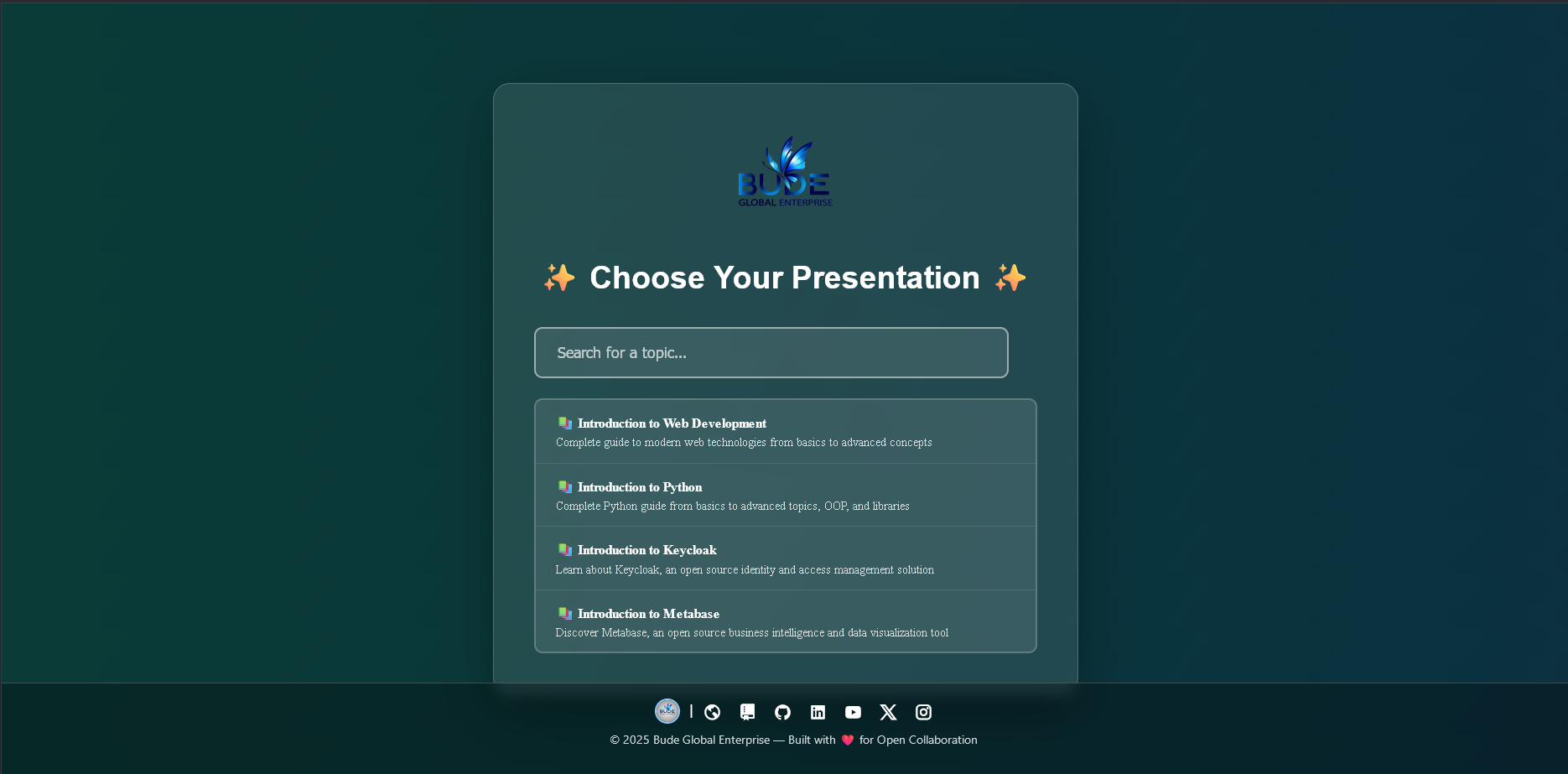 Smart search and autocomplete for quick presentation discovery
👤 Author/Presenter Page
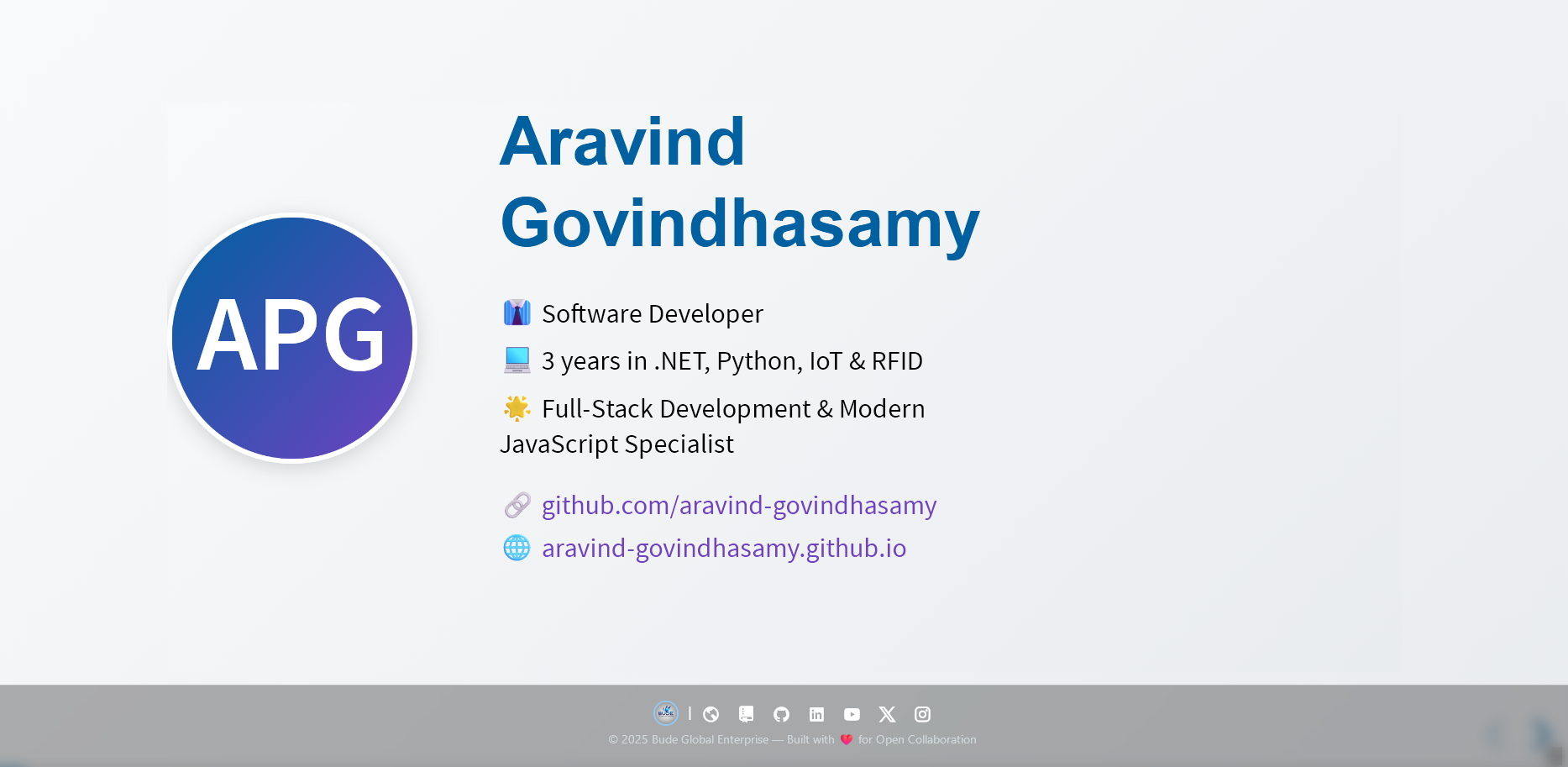 Professional presenter introduction with social links
📊 React Presentation Example
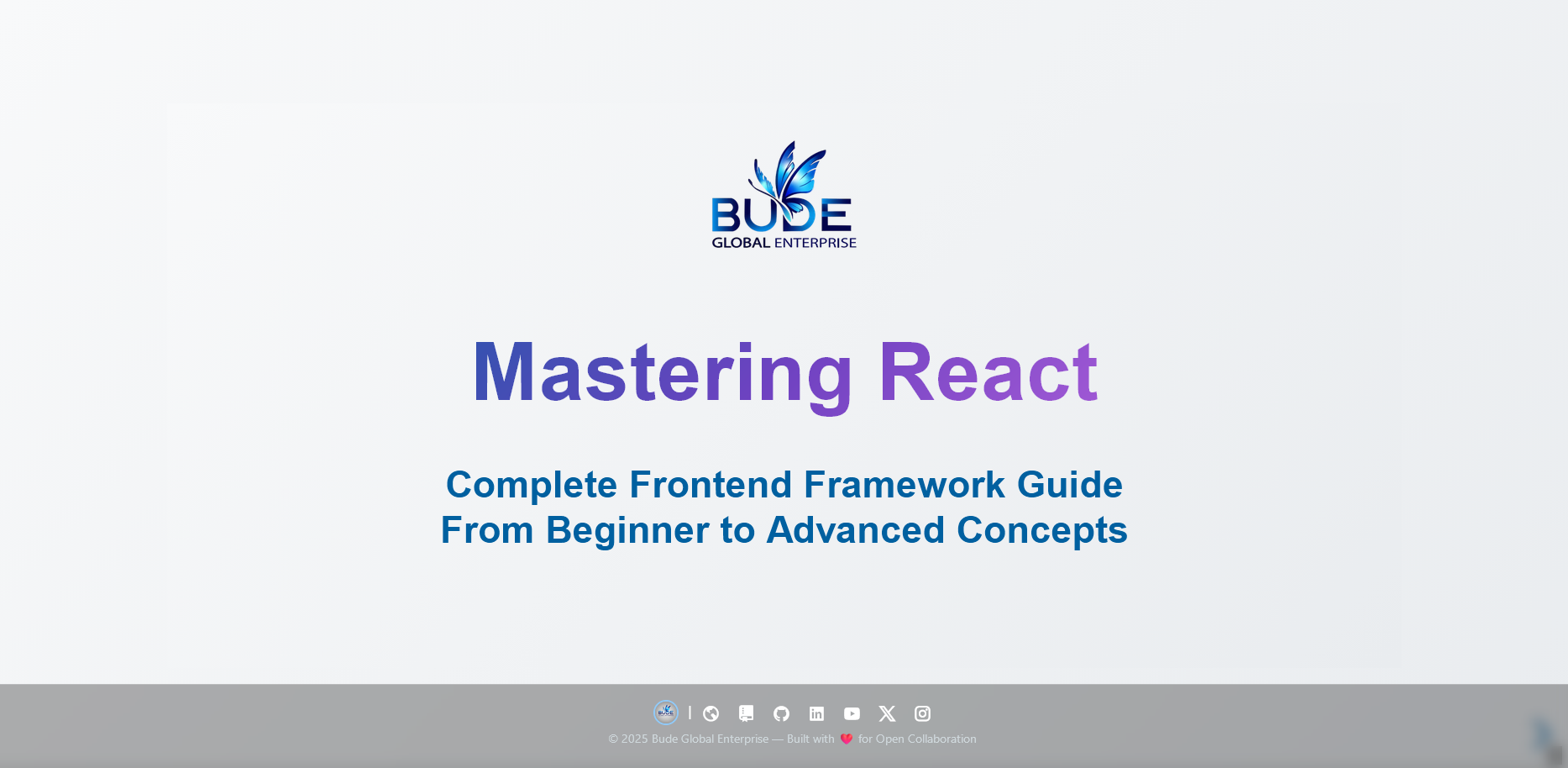 Clean, modern slide design with code examples
🛠️ Technologies Used
This project leverages modern web technologies for optimal performance and developer experience:
| Technology | Purpose | Version |
|---|---|---|
| HTML5 | Structure and semantic markup | Latest |
| CSS3 | Styling, animations, and responsive design | Latest |
| JavaScript (ES6+) | Dynamic behavior and presentation logic | ES2020+ |
| Reveal.js | Presentation framework | 4.6.0 |
| Remixicon | Icon system | 4.3.0 |
| Google Fonts | Custom typography (Molot) | - |
Why These Technologies?
- ✅ No dependencies: Zero npm packages, runs directly in browser
- ✅ Fast loading: Minimal external resources with CDN optimization
- ✅ Easy deployment: Static files — host anywhere
- ✅ Cross-browser: Compatible with all modern browsers
⚡ Performance Optimizations
This project includes several performance optimizations:
| Optimization | Benefit |
|---|---|
| Preconnect hints | Faster CDN resource loading |
| DNS prefetch | Early DNS resolution |
| Deferred scripts | Non-blocking page render |
| SRI hashes | Secure CDN resources |
| Lazy animations | Animations start after page load |
| Adaptive quality | Auto-adjusts for mobile devices |
🧩 Modular Architecture
The codebase is organized into modular files in src/ for easier maintenance:
src/
├── js/
│   ├── config.js           # Global configuration
│   ├── main.js             # Entry point
│   ├── animations/         # 8 animation modes
│   ├── ui/                 # UI components
│   └── utils/              # Utility functions
└── css/
    ├── base/               # Variables, reset
    ├── components/         # Header, cards, footer, etc.
    └── utilities/          # Responsive styles
🏗️ Project Structure
bude-global-tech-presentations/
│
├── 📁 assets/                          # Static assets
│   ├── 📁 fonts/                       # Custom fonts (Molot)
│   │   └── Molot.otf
│   ├── 📁 icons/                       # Custom icons
│   └── 📁 images/                      # Images and logos
│       ├── budeglobal_logo.png
│       └── 📁 Readme/                  # README screenshots
│           ├── home.png
│           ├── author.png
│           └── intro-react.png
│
├── 📁 presentations/                   # Presentation JSON files
│   ├── intro-oss.json                  # Open Source Software
│   ├── intro-python.json               # Python Programming
│   ├── intro-csharp.json               # C# Programming
│   └── ... (40+ presentations)
│
├── 📁 src/                             # Modular source code (for bundlers)
│   ├── 📁 js/                          # JavaScript modules
│   │   ├── config.js                   # Animation configuration
│   │   ├── main.js                     # Entry point
│   │   ├── 📁 animations/              # 8 animation modes
│   │   ├── 📁 ui/                      # UI components
│   │   └── 📁 utils/                   # Utility functions
│   └── 📁 css/                         # CSS modules
│       ├── 📁 base/                    # Variables, reset
│       ├── 📁 components/              # Header, cards, footer
│       └── 📁 utilities/               # Responsive styles
│
├── 📁 templates/                       # Template files
│   └── sample-presentation.json        # Template for new presentations
│
├── 📄 index.html                       # Main entry point
├── 📄 presentations.js                 # Presentation configuration
├── 📄 presenter.js                     # Animation & slide rendering
├── 📄 loader.js                        # Dynamic loading logic
├── 📄 style.css                        # Custom styles
├── 📄 github-live.js                   # GitHub API integration
├── 📄 theme-switcher.js                # Dark/Light theme toggle
├── 📄 orientation-handler.js           # Mobile orientation handler
├── 📄 README.md                        # This file
├── 📄 CONTRIBUTING.md                  # Contribution guidelines
└── 📄 LICENSE                          # GNU GENERAL PUBLIC LICENSE
🚀 Quick Start
Get up and running in under 2 minutes!
Prerequisites
- A modern web browser (Chrome, Firefox, Edge, Safari)
- Basic knowledge of JSON (for creating presentations)
- Git installed (optional, for cloning)
Installation
Option 1: Clone the Repository
# Clone the repository
git clone https://github.com/BUDEGlobalEnterprise/bude-global-tech-presentations.git

# Navigate to the project directory
cd bude-global-tech-presentations

# Open in browser
open index.html
# Or on Windows: start index.html
# Or on Linux: xdg-open index.html
Option 2: Download ZIP
- Download the latest release
- Extract the ZIP file
- Open
index.htmlin your browser
Option 3: GitHub Pages (Live Demo)
Simply visit: https://budeglobalenterprise.github.io/bude-global-tech-presentations
👀 How to View Presentations
Browser Experience
- Open the Platform: Launch
index.htmlin your browser - Browse Presentations: View all available presentations in the selector modal
- Search: Type keywords to filter presentations instantly
- Select: Click on any presentation to begin viewing
- Navigate: Use arrow keys or on-screen controls to move between slides
- Return Home: Press
Hto return to the presentation selector
Navigation Controls
| Action | Keyboard | Mouse/Touch |
|---|---|---|
| Next Slide | → or ↓ or Space |
Click right arrow |
| Previous Slide | ← or ↑ |
Click left arrow |
| Scroll Slide | ↓ / ↑ (if content overflows) |
Mouse wheel |
| First Slide | Home |
- |
| Last Slide | End |
- |
| Slide Overview | Esc or O |
- |
| Fullscreen | F |
- |
| Return to Selector | H |
- |
➕ How to Add a New Presentation
Adding a new presentation is straightforward and takes just 3 steps!
Step 1: Create Your JSON File
Create a new .json file in the presentations/ directory:
touch presentations/my-awesome-tech-talk.json
Use the template structure (see Presentation JSON Schema) or copy from templates/sample-presentation.json.
Step 2: Update Configuration
Open index.html and locate the PRESENTATIONS_CONFIG array. Add your presentation:
const PRESENTATIONS_CONFIG = [
    // ... existing presentations ...
    {
        file: 'presentations/my-awesome-tech-talk.json',
        title: 'My Awesome Tech Talk',
        description: 'A comprehensive guide to an amazing technology',
        keywords: ['awesome', 'tech', 'innovation', 'tutorial']
    }
];
Step 3: Test & Commit
# Test locally
open index.html

# Commit your changes
git add presentations/my-awesome-tech-talk.json index.html
git commit -m "Add: My Awesome Tech Talk presentation"
git push origin main
That’s it! Your presentation is now live and searchable! 🎉
📋 Presentation JSON Schema
Basic Structure
{
  "presentation": {
    "topics": [
      {
        "id": "unique-topic-id",
        "title": "Topic Title",
        "slides": [
          {
            "type": "title|presenter|topic-title|content|qa|thank-you",
            "title": "Slide Title",
            "emoji": "🚀",
            "box": {
              "title": "Box Title",
              "content": "Box content with <strong>HTML</strong>",
              "code": "const example = 'code block';",
              "list": [
                { "emoji": "✅", "text": "List item with emoji" },
                { "emoji": "❌", "text": "Another item" }
              ]
            },
            "list": [
              { "emoji": "📌", "text": "Top-level list item" }
            ],
            "note": {
              "text": "Additional note or tip"
            }
          }
        ]
      }
    ]
  }
}
Slide Types
1. Title Slide
{
  "type": "title",
  "title": "Presentation Title",
  "subtitle": "Subtitle or tagline"
}
2. Presenter Slide
{
  "type": "presenter",
  "name": "Your Name",
  "title": "Your Title",
  "experience": "Years of experience",
  "oss_experience": "OSS contribution details",
  "github": "https://github.com/username",
  "website": "https://yoursite.com"
}
3. Topic Title Slide
{
  "type": "topic-title",
  "title": "Section Title",
  "box": {
    "content": "Section introduction"
  }
}
4. Content Slide
{
  "type": "content",
  "emoji": "💡",
  "title": "Slide Title",
  "box": {
    "title": "Optional box title",
    "content": "Main content",
    "code": "// Code example\nfunction hello() {\n  console.log('Hello');\n}",
    "list": [
      { "emoji": "✅", "text": "Feature one" },
      { "emoji": "✅", "text": "Feature two" }
    ]
  },
  "list": [
    { "emoji": "📌", "text": "Additional point" }
  ],
  "note": {
    "text": "Pro tip or note"
  }
}
5. Q&A Slide
{
  "type": "qa",
  "title": "Questions? 💬",
  "content": "Your questions are welcome!"
}
6. Thank You Slide
{
  "type": "thank-you",
  "title": "Thank You! 🎉",
  "box": {
    "content": "Closing message",
    "note": "Final thoughts"
  },
  "footer": {
    "org": "Organization Name",
    "tagline": "Your tagline"
  }
}
HTML Support
You can use HTML tags in content:
<strong>bold</strong><em>italic</em><code>inline code</code><br>for line breaks- Custom classes:
<span class="highlight">text</span>
⌨️ Keyboard Shortcuts
Presentation Navigation
| Key | Action |
|---|---|
→ ↓ Space PgDn |
Next slide |
← ↑ PgUp |
Previous slide |
Home |
First slide |
End |
Last slide |
Esc O |
Slide overview mode |
F |
Fullscreen mode |
S |
Speaker notes (if available) |
B . |
Blackout/pause |
H |
Return to presentation selector |
Slide Scrolling (Long Content)
| Key | Action |
|---|---|
↓ |
Scroll down (if slide has overflow) |
↑ |
Scroll up (if slide has overflow) |
Animation Controls
| Key | Animation Mode |
|---|---|
1 |
Floating Shapes |
2 |
Gradient Blobs |
3 |
Neon Waves |
4 |
Animated Grid |
5 |
Particle Field |
6 |
Pulse Rings |
7 |
Parallax Layers |
8 |
Cosmic Dust |
🤝 Contributing
We warmly welcome contributions from developers of all skill levels! Whether you’re fixing typos, adding presentations, or building new features, your contribution matters.
Ways to Contribute
- 📚 Add Presentations: Share your knowledge on any tech topic
- 🐛 Report Bugs: Found an issue? Open an issue
- 💡 Suggest Features: Have ideas? We’d love to hear them
- 📖 Improve Documentation: Help make our docs clearer
- 🎨 Design Enhancements: Improve UI/UX
- 🔧 Code Improvements: Refactor, optimize, or add features
Contribution Workflow
- Fork the repository
- Create a feature branch (
git checkout -b feature/amazing-feature) - Make your changes
- Test thoroughly
- Commit with clear messages (
git commit -m 'Add: Amazing feature') - Push to your fork (
git push origin feature/amazing-feature) - Open a Pull Request
Commit Message Convention
Type: Brief description

Types:
- Add: New feature or presentation
- Fix: Bug fix
- Update: Update existing content
- Docs: Documentation changes
- Style: Code style changes (formatting)
- Refactor: Code refactoring
- Test: Adding tests
- Chore: Maintenance tasks
Example: Add: Introduction to Kubernetes presentation
For detailed guidelines, see CONTRIBUTING.md.
📚 Available Presentations
Programming Languages
- 🐍 Introduction to Python - From basics to advanced topics
- 🎯 C# Programming - Modern C# with .NET
- ⚛️ React.js - Building modern web apps
Frameworks & Libraries
- 📱 .NET MAUI - Cross-platform app development
- 🎨 Tailwind CSS - Utility-first CSS framework
- 🅱️ Bootstrap - Responsive web design
- 🔧 Frappe Framework - Full-stack Python framework
- 📊 ERPNext - Open-source ERP system
DevOps & Tools
- 🐧 Linux Fundamentals - Command line mastery
- 🔀 Git & GitHub - Version control essentials
- 🏠 Gitea - Self-hosted Git service
- 🐳 Docker - Containerization basics
Security & Identity
- 🔐 Keycloak - Identity and access management
Analytics & BI
- 📈 Metabase - Business intelligence tool
Open Source
- 🌐 Introduction to OSS - Open source fundamentals
More presentations are added regularly by our community!
🔧 Customization
Branding
Update colors in index.html CSS variables:
:root {
    --bude-primary: #0060a0;      /* Primary brand color */
    --bude-purple: #6f42c1;       /* Secondary color */
    --bude-pink: #cb6ce6;         /* Accent color */
    --bude-dark: #2c3e50;         /* Dark text */
}
Fonts
Replace the Molot font in assets/fonts/ and update the @font-face rule:
@font-face {
    font-family: 'YourFont';
    src: url('assets/fonts/YourFont.otf') format('opentype');
}
Logo
Replace legacy/assets/images/budeglobal_logo.png with your logo (recommended size: 400x400px).
Footer Links
Update social links in the <footer> section of index.html.
❓ FAQ
Q: Can I use this for my own presentations?
A: Absolutely! This project is open-source under GNU GENERAL PUBLIC LICENSE. Feel free to fork and customize.
Q: Do I need a server to host this?
A: No! It’s a static site. You can host on GitHub Pages, Netlify, Vercel, or any static hosting service.
Q: Can I export presentations to PDF?
A: Yes! Use your browser’s print function (Ctrl+P) and select “Save as PDF”. Reveal.js handles print styling automatically.
Q: How do I add speaker notes?
A: Reveal.js supports speaker notes. Press S during presentation to open speaker view.
Q: Can I embed videos or interactive elements?
A: Yes! You can use HTML in your JSON content, including <iframe>, <video>, and interactive elements.
Q: Is there a limit to slide count?
A: No technical limit, but we recommend keeping presentations under 100 slides for optimal performance.
Q: Can I use this offline?
A: Mostly yes, but external resources (CDN fonts, icons) require internet. You can download and self-host these for full offline support.
©️ License
This project is licensed under the GNU GENERAL PUBLIC LICENSE - see the LICENSE file for details.
What This Means
✅ You can:
- Use commercially
- Modify and distribute
- Use privately
- Sublicense
❌ You cannot:
- Hold us liable
- Use our trademarks without permission
📝 You must:
- Include the original license
- Include copyright notice
📜 Terms and Conditions
By accessing and using this service, you agree to be bound by our Terms and Conditions.
🙏 Acknowledgments
Special thanks to:
- OSSPhilippines/oss-101 - For inspiration and attribution
- Reveal.js - Hakim El Hattab for the amazing presentation framework
- Remixicon - For the beautiful icon system
- Bude Global Community - For contributing presentations and feedback
- All Contributors - Thank you for making this project better!
📧 Contact
Bude Global Enterprise
- 🌐 Website: budeglobal.in
- 📝 Blog: blog.budeglobal.in
- 💼 LinkedIn: linkedin.com/company/budeglobal
- 🐙 GitHub: github.com/budeglobalenterprise
- 📺 YouTube: @BudeGlobalEnterprise
- 🐦 Twitter/X: @budeglobalerp
- 📷 Instagram: @budeglobal
Support
- 🐛 Bug Reports: GitHub Issues
- 💬 Discussions: GitHub Discussions
- � WhatsApp Community: Join our WhatsApp Group
- �📧 Email: budeglobalerp@gmail.com